The Story Behind Our C6 Engine
Sep 25, 2026

Anyone who works with 3D printers knows how important slicer software is. If someone creates an STL design file for their 3D printer to model, the printer needs a set of clear-cut instructions to fabricate it precisely. Slicer software performs this job: taking the STL file and generating G-code for the printer to interpret and process.
There are many slicing programs used around the world today. Some are open-source; others offer advanced features for a premium subscription.
Cura, PrusaSlicer and Slic3r are among the free open-source tools. They have amassed a loyal following over the years and offer exceptional features to novice and professional users alike. Within India too they have a wide base of users, and most Indian 3D printer manufacturers and printing service providers rely on them.
So the question arises: if such software already exists, why build another one?
Why did we build our own slicing engine at Fabheads?
At Fabheads we seek to continually optimise our approach to 3D printing and its supporting facilities, and through that to develop a more cohesive printing unit. Here is the reasoning behind C6.
C6 is not just an engine; we have developed a full slicer platform. The term covers the backend processing components, the UI, and features beyond the slicing engine itself.
To make a universal software that can process multiple materials
Our fabmachines range now spans four series of 3D printers: the entry-level D2, the pellet-based X series, the continuous fiber F series, and the industrial-grade G series.
We built the F series to support and comply with Adaptive Tow Placement (AToP), our patented continuous carbon-fiber 3D printing technology. These machines print high-performance materials like continuous fiber composites, and doing so requires special slicer settings and advanced instruction sets that typical slicers on the market do not offer. To give clients a user-friendly way to get the maximum out of our machines, we had to build our own slicing engine.
Since we were building one anyway, we wanted to give clients more freedom to handle multiple materials. So we expanded it into a universal tool that supports our G series FDM printers as well as third-party 3D printers.
To offer easier user and project management
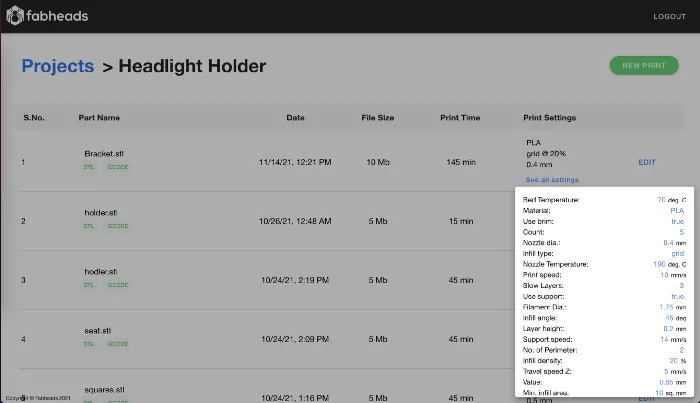
Most slicers offer limited provision for project handling: they slice one file and finish. As a product development company with multiple in-house teams using 3D printing daily for both R&D and production, we understand how much that matters. So C6 has a project management feature where all your sliced files can be saved and accessed later.
Future versions will add user management, where an organisation's admin can assign distinct features to different users. For larger enterprises this makes delegating workload simpler, and gives managers a single dashboard to review the status of multiple machines and act accordingly.
To offer a comprehensive range of features
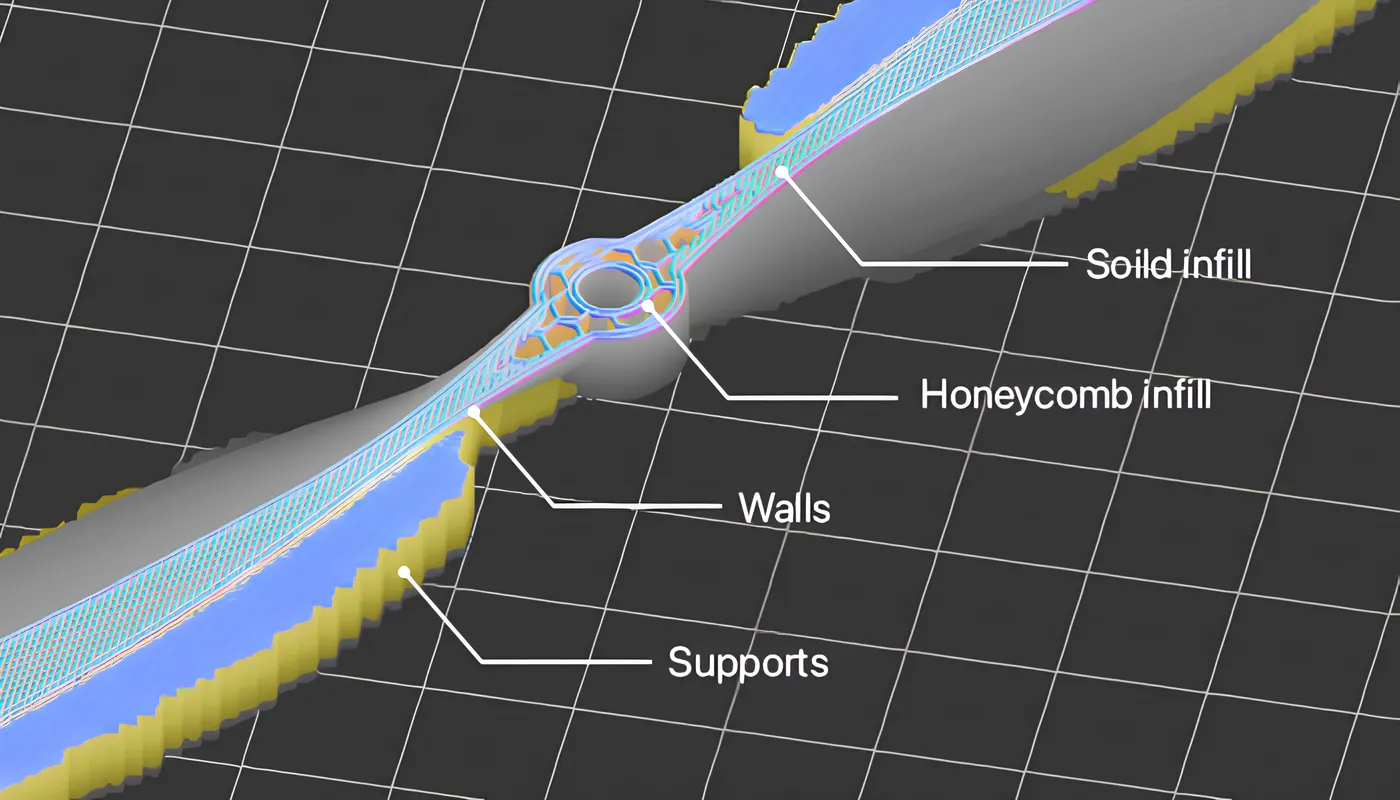
Several secondary reasons influenced the decision too. One was bridging the gap between the features offered by open-source and proprietary software. Open source has commendable features that proprietary tools sometimes lack, and vice versa. That inspired a need to offer a holistic set of features to our customer base in a more enterprise-oriented package.
To make slicing software accessible to a larger audience
India supports a diverse spectrum of industries, small and large. Smaller units are often run by state-wise teams, and the workforce operating them sometimes struggles with the language settings offered by international slicer software. To make slicing more accessible to a local audience, we wanted software that supports regional languages as well, so that 3D printing can be adopted at a larger scale by those units too.
All of this sparked a genuine desire to take our existing 3D printing technology further. After months of rigorous design and testing, we developed India's first indigenous browser-based, cloud-powered slicing engine for 3D printers: the C6 Engine.
Why a web app?
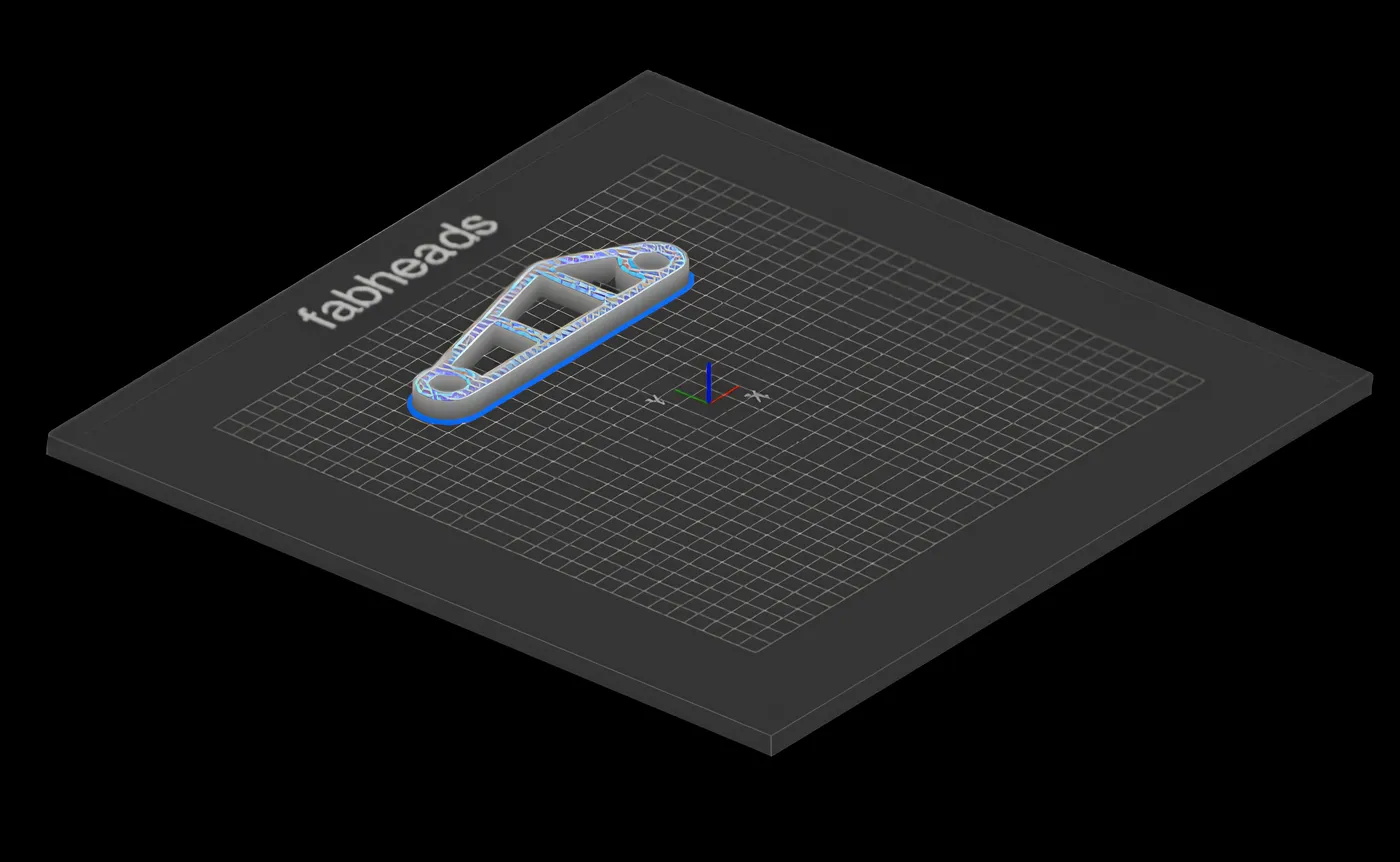
C6 is a browser-based slicer with the C6 engine at its core. You access it like any other web app, and the slicing engine sits on a cloud server, processing your files and generating G-code. Try it at c6.fabheads.com.
We built it browser-based because:
- It is compatible with most operating systems: the app only requires a browser.
- Updates are pushed constantly, so users never need to update or re-download. The latest features reach clients with zero delay.
- The engine and user files are stored in secure cloud storage, so they can be accessed later from anywhere.
- Because it is browser-based, future versions can run on smartphones with limited capability, letting users manage files and monitor prints remotely.
C6 Engine Features
We designed C6 around the needs of different industrial sectors, and as the first enterprise in India to launch something of this scale, we built a set of features to serve Indian clients specifically. It supports our own fabmachines printers and third-party machines alike, and offers functionality that measures up to its international counterparts. Full documentation is available at docs.c6.fabheads.com.
A desktop app may be marginally faster than a browser-based one, but the advantages above outweigh that slight delay. Other differences include print history and cloud storage. Our STL import speed is considerably faster, depending on the complexity and size of the file, and the platform is compatible with Windows and macOS: all it needs is an active internet connection.
C6 imports STL files and exports G-code, with support for .obj, .STP and .3mf formats planned.
Major features include:
- Access to files anytime and anywhere: use the app from any computer with just your login credentials
- Settings configurable in your regional language
- Easy project management and collaboration with team members
- Real-time updates with no additional packages to install
- Cross-platform compatibility: Chrome, Firefox, Safari or Microsoft Edge
- All sliced and non-sliced parts saved project-wise
- Support for multiple materials and server-side computation
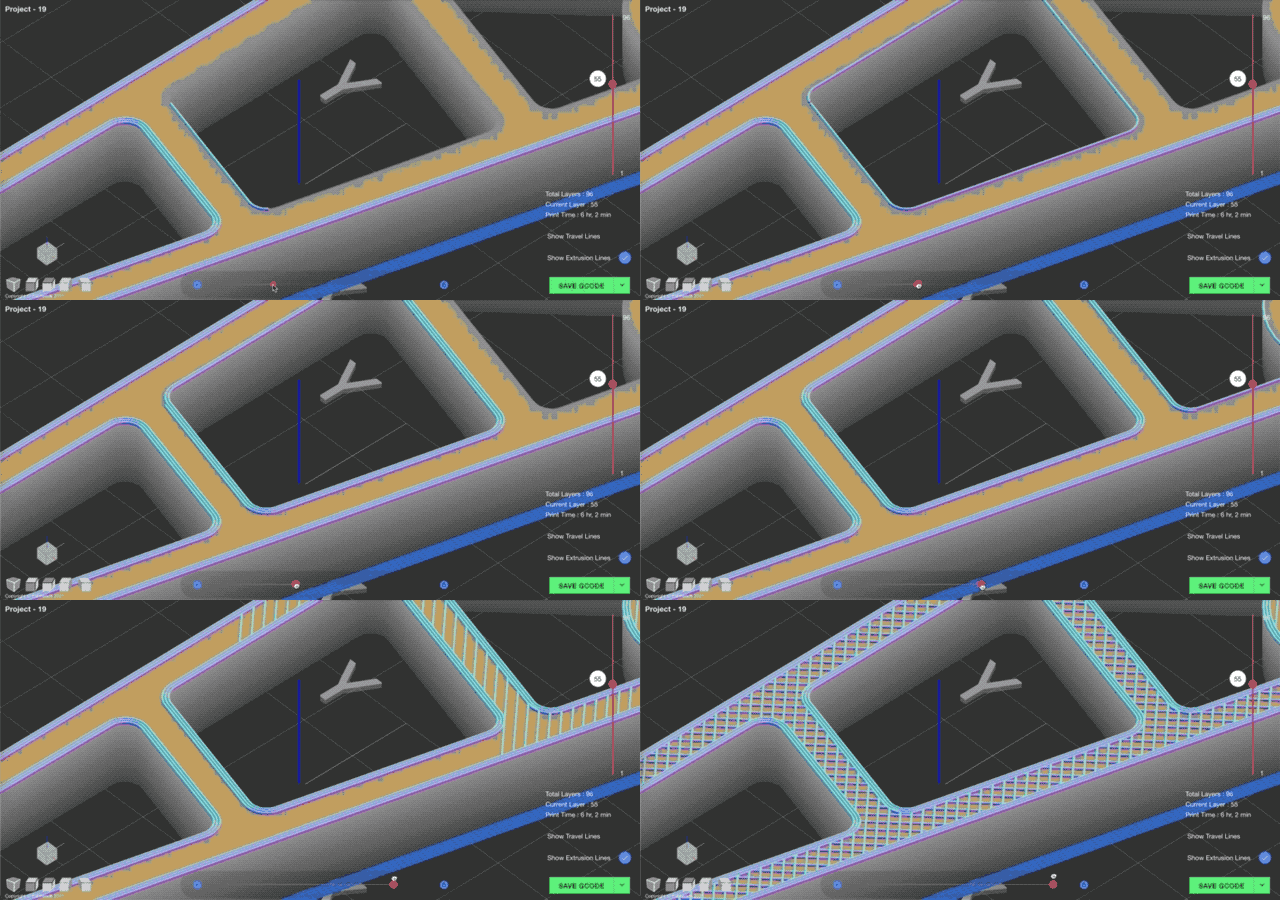
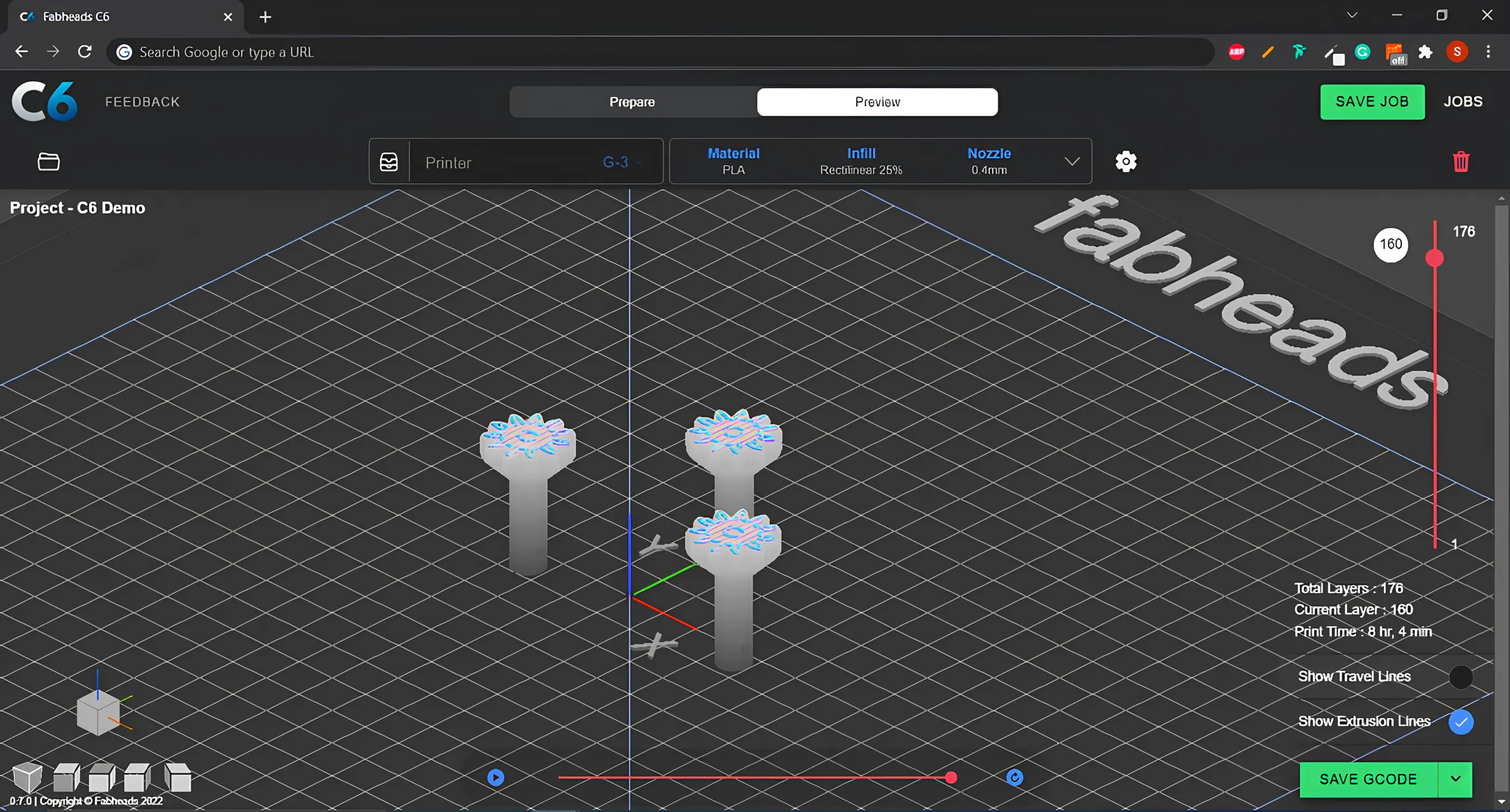
- Realistic simulation, including a playback feature showing how lines print in a given layer and the number of layers
- Easy access to and storage of jobs
- Customisable or pre-defined settings for each machine
- Light mode and dark mode
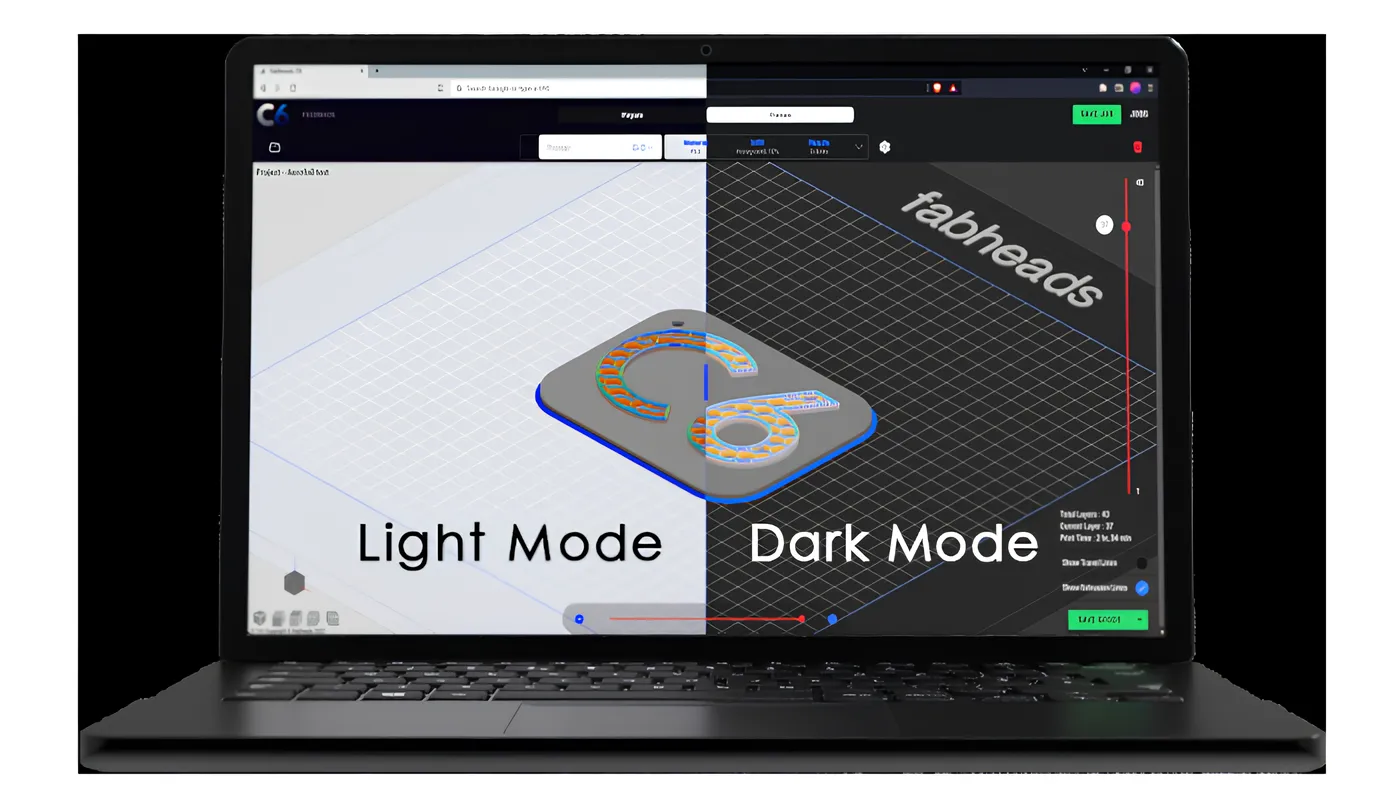
C6 is built to be straightforward for beginners while holding enough depth for professionals, and we maintain online resources so anyone starting from scratch can learn quickly and work up to the advanced features systematically.
The Two Modes of C6
Basic Mode
Provides all the standard features: material selection, infill type, infill density and nozzle diameter, with tooltips explaining each setting.
Fiber Mode
The important distinction: fiber mode is compatible with continuous fiber printing, which most slicers do not handle at all. C6 provides settings for working with continuous fiber composites, including control over the number of walls, extrusion parameters such as flow, print speed and wall speed, material temperature, retraction, and fiber routing options for continuous fiber prints.
Beyond that, it supports the slicing parameters you would expect:
- Drag and drop, rotate and scale STL files
- Control over layer heights, supports, temperature and infill
- Speed control for walls, first layer, supports, and top and bottom layers
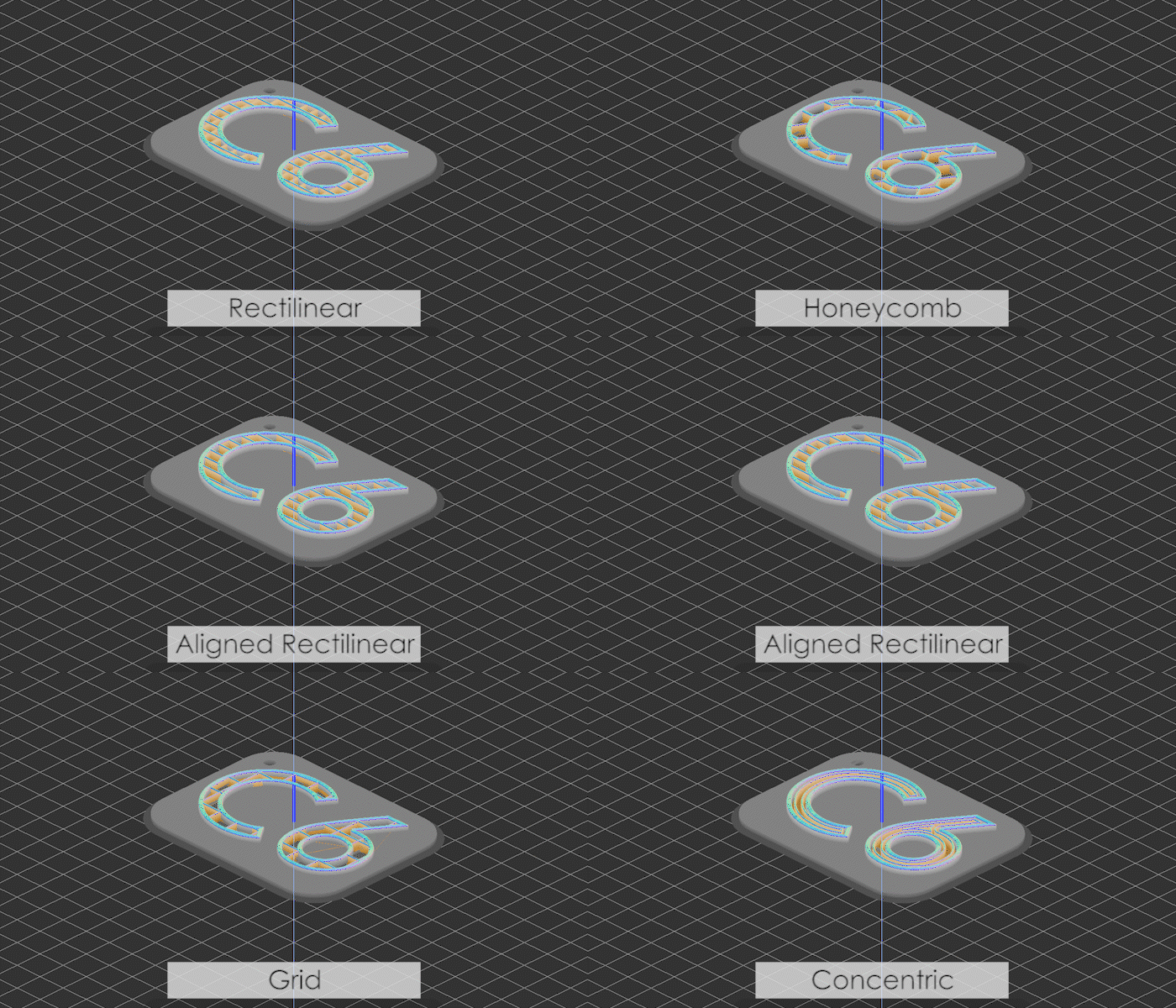
- Five infill patterns: honeycomb, grid, rectilinear, aligned rectilinear and concentric
- Control of infill angles and infill order
- Customisation of line width and flow multiplier
- Easy breakaway supports for overhanging parts
- Multi-file slicing
- Saving the job or order of a particular file
- Estimates of printing time and total layer count
- Toolpath simulation of G-code, layer by layer and line by line
- Custom G-code save: save G-code for a range of layers
- Preview of G-code from other popular slicers
On the Roadmap
Features in development:
- Third-party printer management: a list of default third-party printers with default settings, so users can select their machine and get suitable print settings straight away
- Two-part slicing: for printing part of an object in plastic and part in fiber
- Dual nozzle slicing
- Print monitoring, via serial/USB and webcam
These are only some of what C6 offers. There are over 40 unique settings in the platform to explore, and we update it regularly.
Where C6 Fits
C6 exists because a slicer built for plastic cannot properly drive a machine printing continuous carbon fiber. The same logic runs through everything we build: the machines, the technology behind them, and the composite manufacturing services we deliver for customers across aerospace, mobility and robotics.
Want to try slicing with C6? Create a free account - or talk to our team about continuous fiber printing.
Frequently Asked Questions
What is C6?
C6 is a browser-based, cloud-powered slicing engine for 3D printers, built by Fabheads. It converts STL files into G-code, runs in any browser with no installation, and supports both Fabheads machines and third-party printers.
What makes C6 different from other slicers?
Two things. It runs entirely in the browser with files stored in the cloud, so it works on any operating system and needs no updates. And it has a dedicated fiber mode for continuous fiber composite printing, including fiber routing and extrusion control, which most slicers do not support at all.
Does C6 work with non-Fabheads printers?
Yes. C6 supports third-party 3D printers alongside the fabmachines range, and can preview G-code generated by other popular slicers.
What file formats does C6 support?
C6 imports STL files and exports G-code. Support for .obj, .STP and .3mf formats is planned.