5 Things You Need to Know About 3D Printers
Sep 26, 2026

“3D printing is already shaking our age-old notions of what can and can't be made.”
- Hod Lipson, robotics engineer
It is amazing how humans have transformed technology. We can now print three-dimensional models of various objects, and we all know how the 3D printing process has helped businesses become more efficient. However, do we really know how this piece of technology actually works? Ever wonder what a 3D printer looks like from the inside? What are its parts? How does it print 3D models?
This article answers all of these questions. We will look into:
- The 3D printing techniques
- Basic steps of 3D printing
- Parts of a 3D printer
- The 3D printing process
- Advantages of 3D printers
Types of 3D Printing
3D printing has a wide outreach across many different industries. Therefore, it keeps evolving and getting better with time. Over the past decade, 3D printers have used different techniques depending on the requirements. Here is a summary of the most popular ones.
FDM: Fused Deposition Modeling
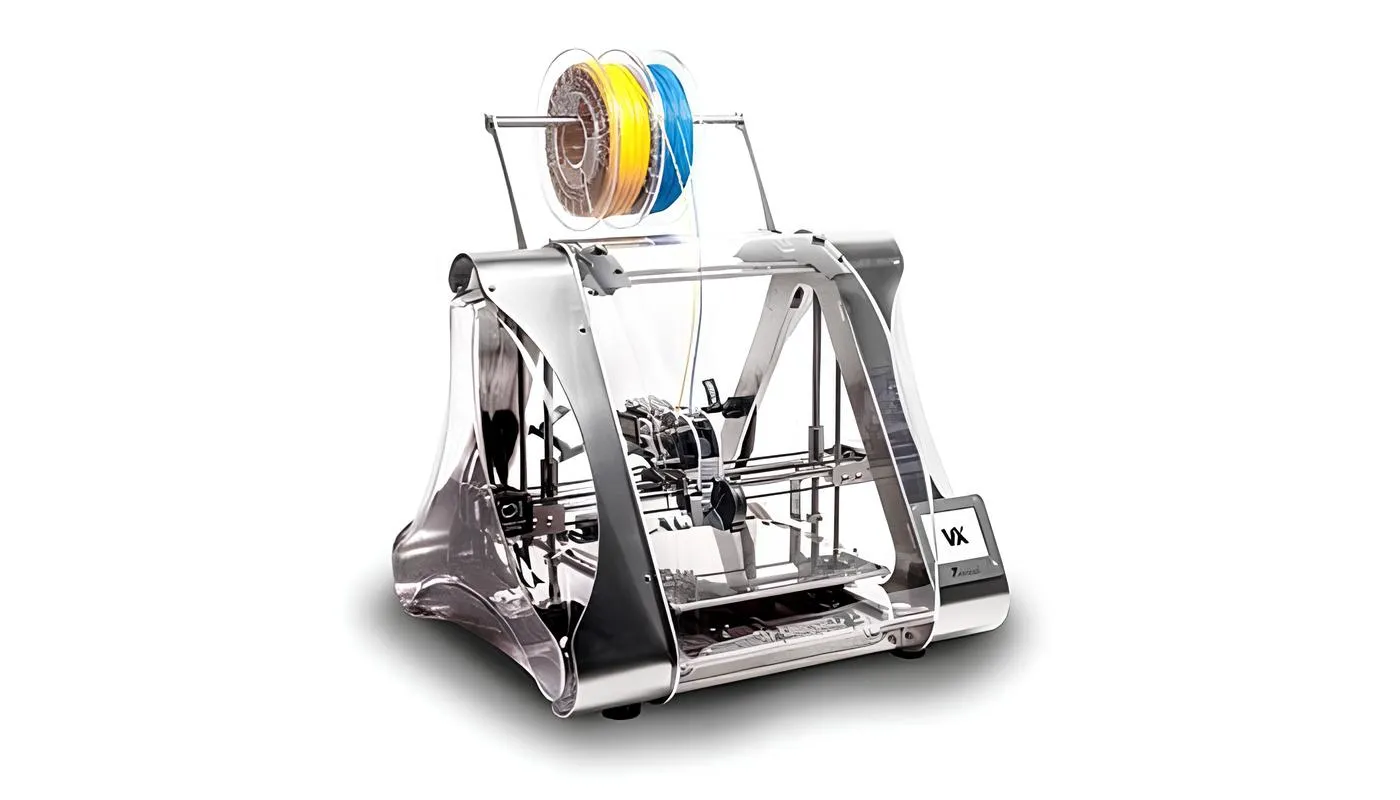
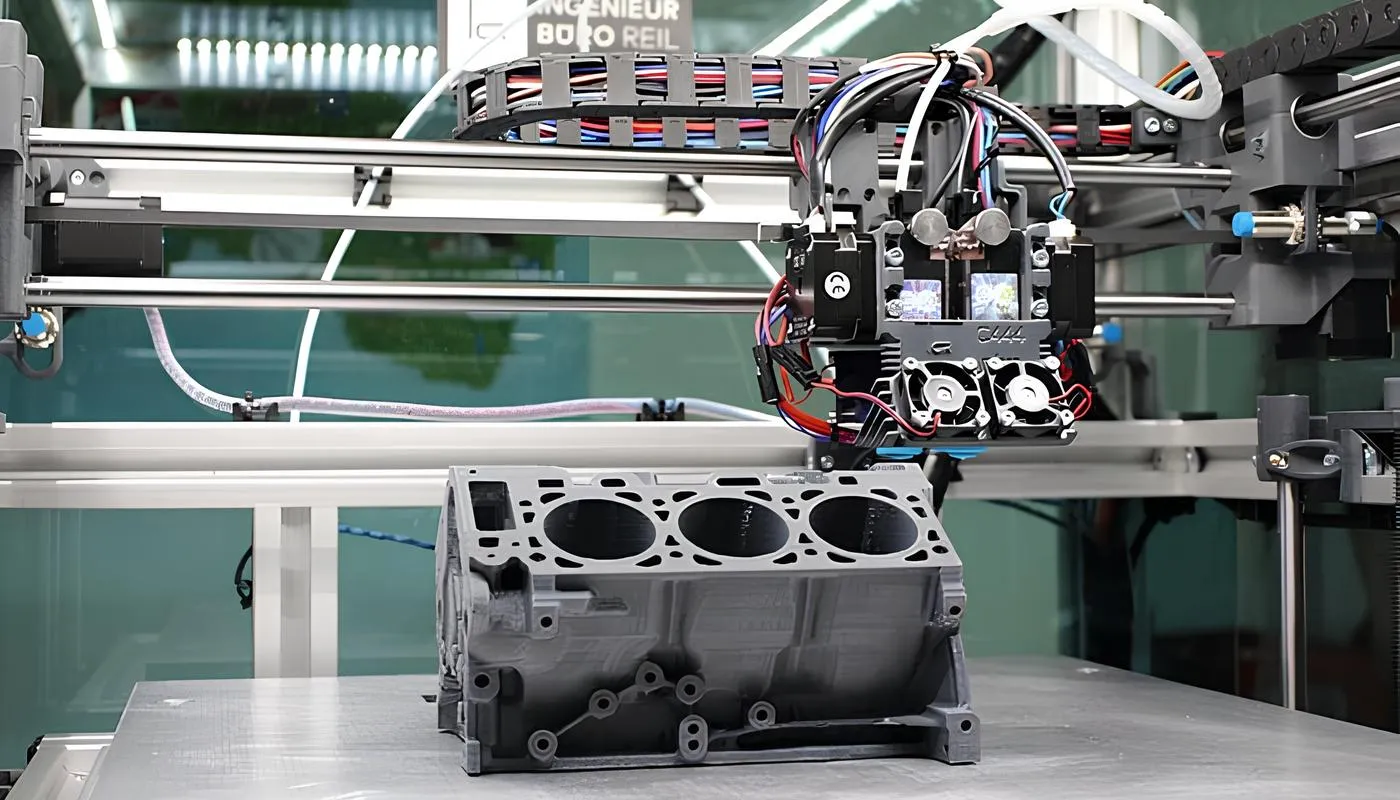
FDM is a technology that is common amongst low-cost 3D printers. It is used for printing materials using thermoplastics (plastic polymer material). A roll of filament is attached to the printer which is fed to the nozzle. The nozzle melts the filaments and starts printing layer by layer. If you want a deeper comparison, see our piece on FDM vs SLA.
What are the benefits of this technology?
- Clean and simple to use
- The go-to material is thermoplastics. They are mechanically stable (also environment friendly).
- Easy to print objects with cavities and complex geometries
- Most suitable for making POCs (proof of concepts) and prototypes
Common usage: Manufacturing industries use FDM to create spare parts for machines, tooling, and also prototypes.
SLA: Stereolithography
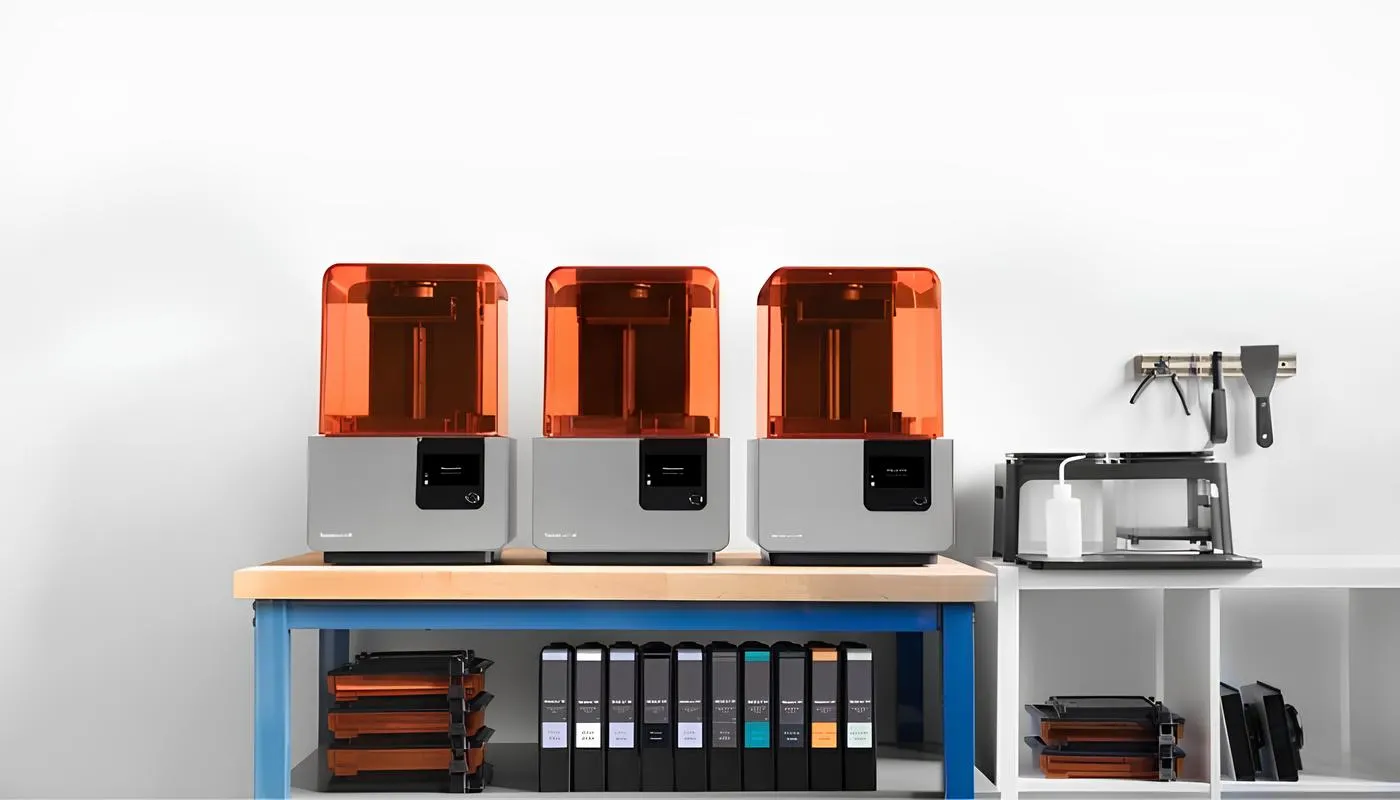
This process uses an ultraviolet laser on a photopolymer resin to carve out the desired shape. Using the photochemical process, the light cross-links monomers and oligomers into polymers. The machine itself is known as a stereolithography apparatus, which is where the abbreviation comes from.
What are the benefits of this technology?
- It is fast compared to other processes
- It is also efficient in making 'functional' models or parts
- High accuracy can be achieved with this process
- Great for intricate and complex designs
- Finishing is clean
Common usage: Good for large-sized industrial machinery parts as well as small parts with intricate detailing like moulds. Medical industries rely on it for making body part replicas.
SLS: Selective Laser Sintering
This process is similar to SLA: it also uses light to bind molecules together to form a 3D model. The only difference is in the texture of the base material. The substance used for laser sintering is a powdered material made out of polyamide or nylon.
What are the benefits of this technology?
- Parts produced have a high tensile strength
- It has good chemical resistance
- A variety of polishing can be achieved
- According to EN ISO, it is biocompatible
- One of the fastest additive manufacturing techniques
- Complex geometries are achievable
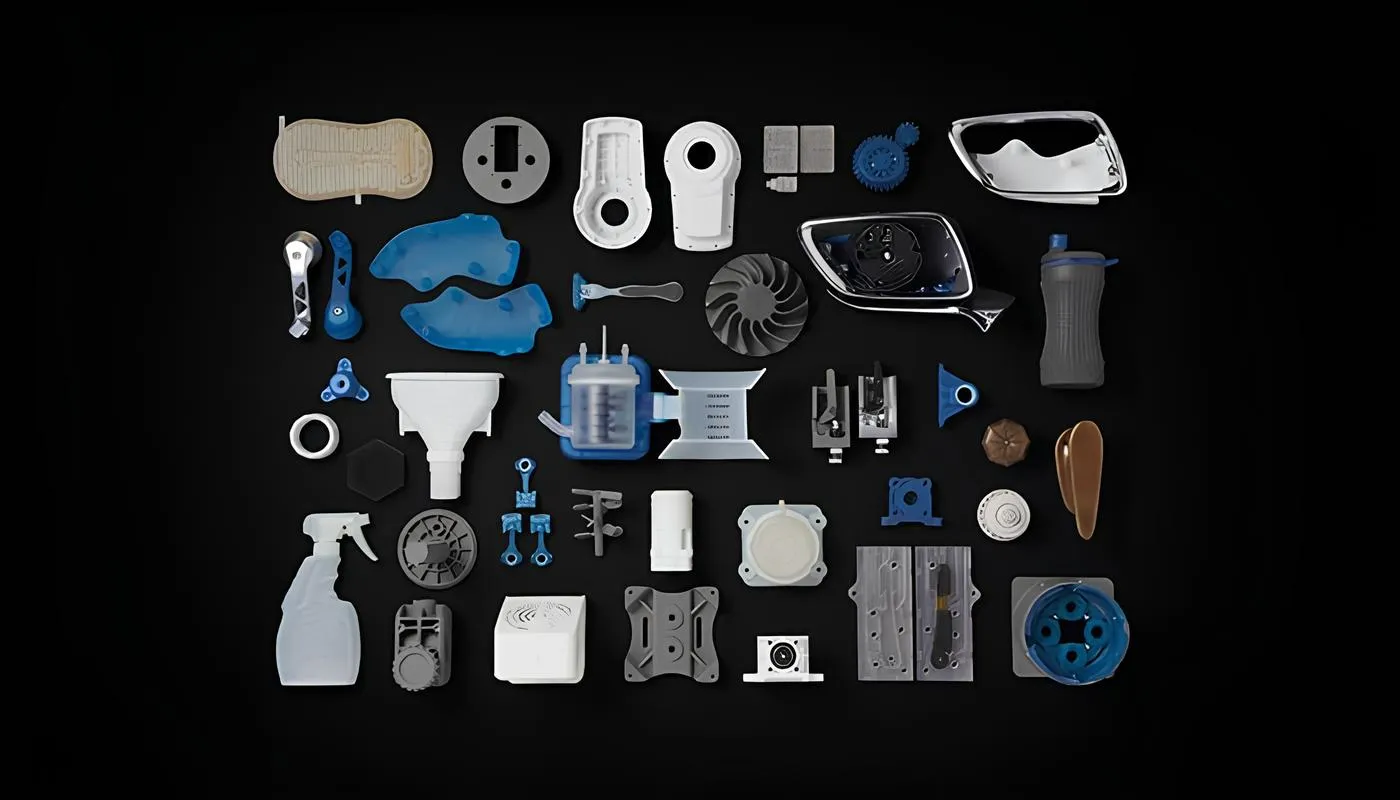
Common usage: Prototyping, automotive hardware, tunnel models, medical hardware, and end-user parts for military and aerospace.
PolyJet
It is a relatively new style of printing: a combination of different techniques, and slightly more advanced. It uses liquid droplets that are squirted out of its nozzle, which are then exposed to UV light. Each layer is cured on top of the other after being hit by the light. It is very similar to inkjet document printing.
What are the benefits of this technology?
- The layer thickness is 16 micron, hence a great finish can be achieved
- Accuracy is 0.1 mm, which is very good
- Versatile in material selection
- Good for composite materials
- Fine detailing and smooth finish
Common usage: Medical industry (preclinical testing) and commercial products using a wide range of colours and textures. One organisation has used a PolyJet 3D printer with software that converts MRI scans of the skull into full-size prints, used to plan an operation before the actual surgery.
Basic Steps of 3D Printing
The four most common steps followed in 3D printing:
- Modeling: the digital copy of your design
- Materials: dependent on the final product and the type of printer. Make sure you assess all the areas before picking the material for your product.
- Printing: this could be for printing your sample, prototype, or final product
- Finishing: the clean-up process may require you to cut, chop or brush off the unwanted parts. Polishing is also part of this process, covered in our guide to finishing 3D prints.
Parts of a 3D Printer
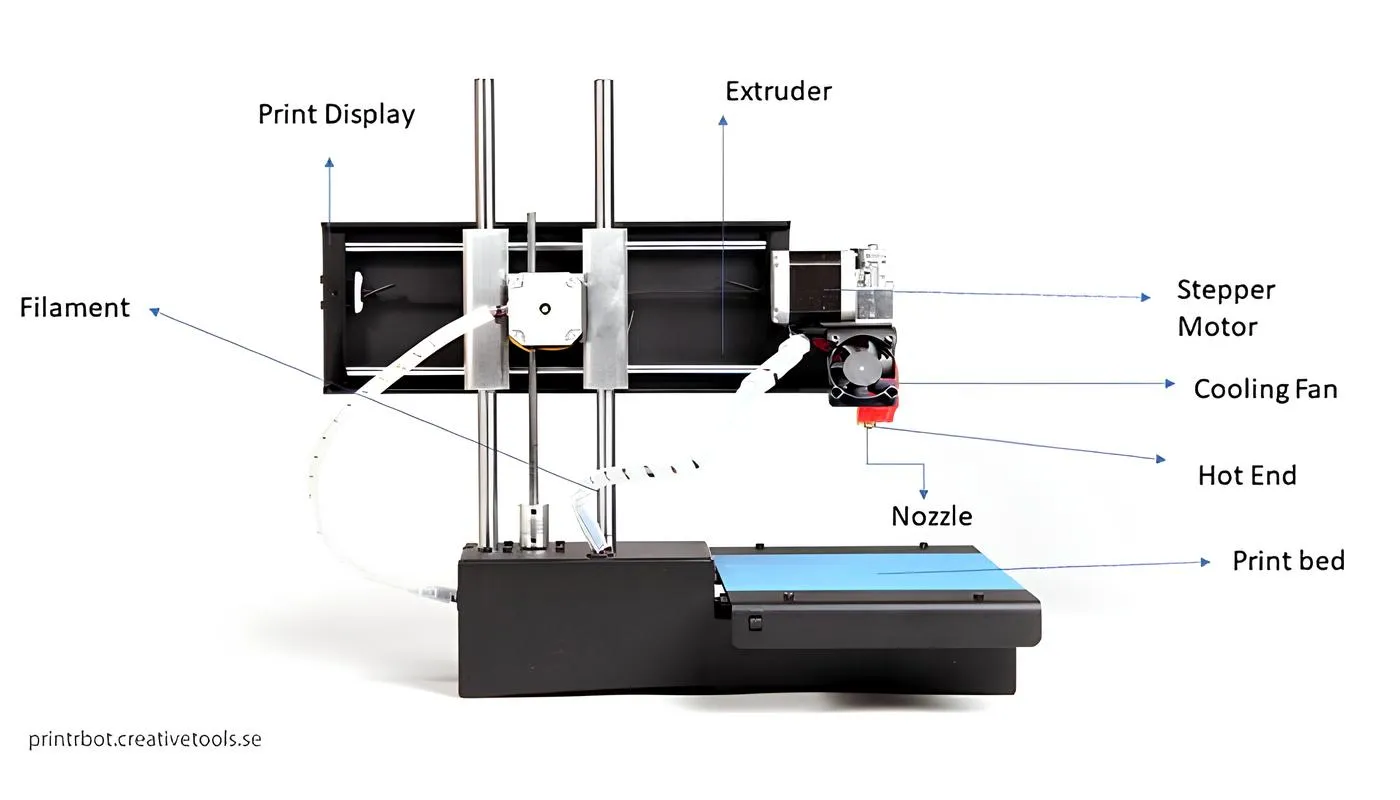
.jpg)
1. Controller / motherboard
It is the central processing unit of the printer. It helps in the execution of the instructions that are fed to the printer via software. It also holds the firmware responsible for converting the G-code into the physical motion of the printer.
2. Frame
The structure in which the printer is placed is called the frame. The material of the frame is dependent on the printing scale. Some printers have an acrylic, wooden, or metal frame. Metal frames are expensive and used for industrial or more accurate printing. There are various models based on closed or open frames.
3. Motion controllers
These components help in the general functioning of the printing actions. Below is the list of parts that play a crucial role in a 3D printer.
a. Belts: They connect the motors and enable the movement of the printer (x-y axis). They need to be calibrated before you start printing.
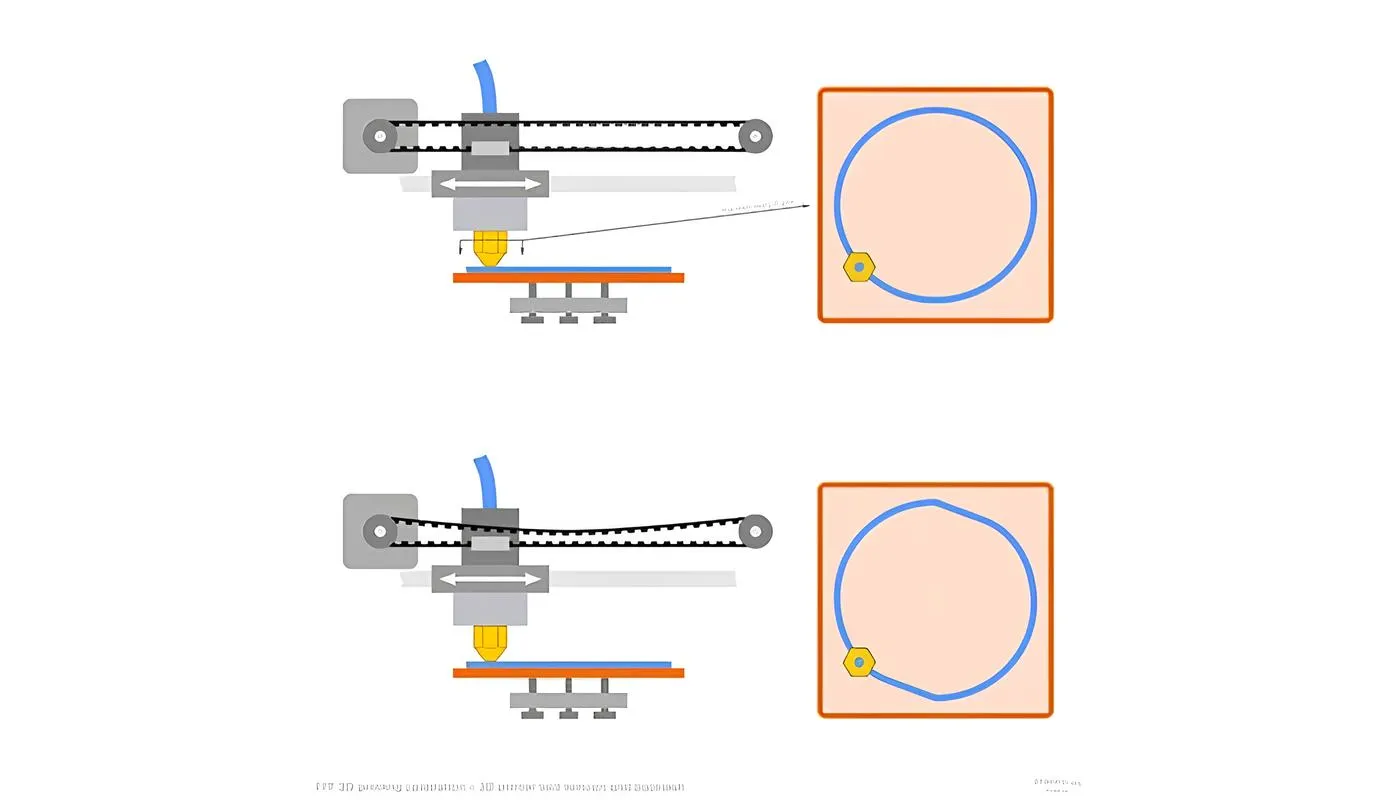

b. Motor: This enables or drives the mechanical operation of the printer.
c. Threaded rods: An attachment to the motor. It enables the adjustment of the height.
d. End stops: Markings that enable the printer to stay within a certain range of motion. These are marked keeping the axes in mind.
4. Power supply unit
It is the source of power to run the entire printer without interruption. It is usually placed separately from the frame. For small printers, it is pretty similar to your PC power supply.
5. Print bed
The base of the model, on top of which the model is printed layer by layer. Depending on the type of material used for printing, you can adjust the print bed as well. The beds are sometimes required to be calibrated at the start of the printing process.
Print bed material allows for good sticking of material during printing, while also allowing easy removal when the print is completed. Print beds can be made of different materials, like acrylic, glass or metal.
6. Extruder
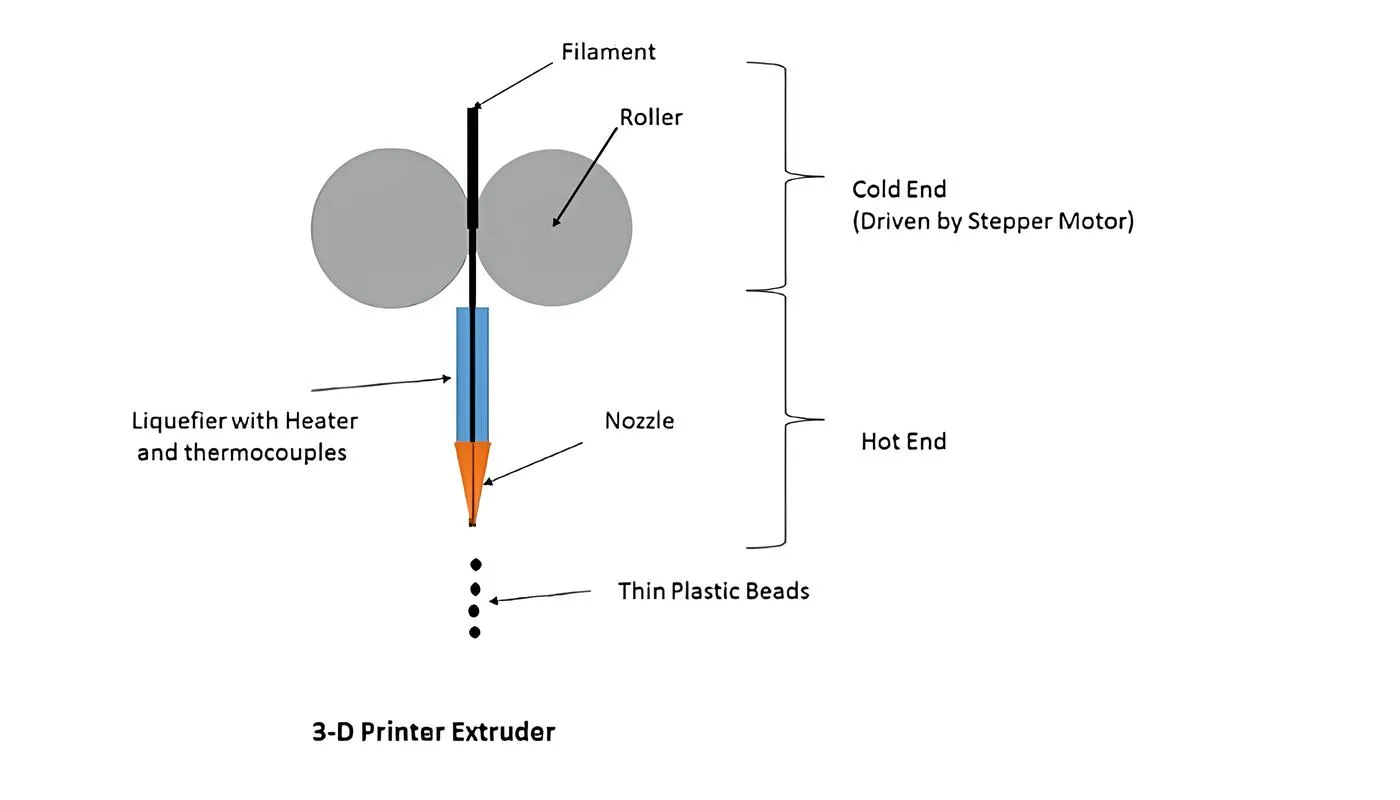
The extruder is the part of an FDM 3D printer that pushes the filament from the source into the nozzle for printing.
There are two ends to the extruder: cold and hot. The cold end deals with material supplied to the printing (e.g. filament). The hot end is where the nozzle is attached to the printer. The picture below depicts the various components of the extruder.

The 3D Printing Process
Let us summarise the printing process. The steps are more or less similar for all kinds of 3D printers.
- Design of the model on CAD
- Conversion of the CAD model into standard tessellation language format (file types: STL, ZPR, OBJ)
- Slicing software for segregation of layers and parts
- The file is fed to the computer attached to the 3D printer
- 3D printer setup: make sure you have the base and materials (polymers, filaments, powder). Also check for the appropriate tooling settings.
- After the printing is done, let it cool (this depends on the material used)
- Remove the object and brush off any extra residue, i.e. post-processing
Let us look at some of these steps in more detail.
Design
Any printing process begins with the design. In a regular 2D print, we usually have a written document or a photo, which then gets processed through our printer. Similarly, 3D printing relies completely on Computer-Aided Design (CAD) software packages. There are many programs to choose from, such as SketchUp, Fusion 360 and SolidWorks.
Slicing
Once you have set the design on paper, you will need CAD software to replicate a digital copy. The next step is known as slicing. Unlike us, machines cannot really visualise a three-dimensional model. The process of breaking down a design into layers is known as slicing. The parts or portions that need to be printed are placed in order and sent to the printer. Common slicing software includes Cura, PrusaSlicer (the maintained successor to Slic3r), Simplify3D and Repetier-Host, and for continuous fiber printing, our own C6.
Support design
After this stage, you will need to set up supporting structures. Support structures are used where there is an overhang in the part. Because 3D printers print layer by layer, you cannot have empty space under any portion of the printed part. But since the part can have any shape, a support structure is created under an overhanging section. This essentially prints a low-density part, just enough to support the actual part being printed above it. Once the print completes, the support structure is easy to remove from the main part.
Support structures depend on the kind of printer you use as well. Once this is done, the rest of the process is automatic: printers can independently complete it.
Advantages of a 3D Printer
More industries are now switching to 3D printers, either for prototyping or end-user products. Here is why they are the go-to machinery in recent times.
- Print-on-demand: the path from design to fabrication of the final model is quick and easy, the basis of on-demand manufacturing.
- Portable: the machinery is simple and lightweight compared with other heavy manufacturing machinery. It can be carried with minimal transportation.
- Easy and precise replication: the automated process allows one to create a replication of a product with high precision.
- Less wastage: the residual waste post-printing is minimal or negligible.
- Cost-effective: the process can use cheaper materials for either prototyping or end products.
- Time-saving: the overall process conserves a lot of time at different stages of the production cycle.
Conclusion
Research into 3D printing began in the 1970s, and the first working systems arrived in the early 1980s. Since then we have seen exponential growth in its application and usage, and the varied techniques and processes of 3D printing have revolutionised the manufacturing world.
Throughout this article we looked at the 3D printer closely: the different techniques of printing, the principles behind them, the parts of the printer, the printing process, and the advantages a 3D printer offers.
A working understanding of 3D printers lets you use all the features of the machine properly. Depending on the final product you want, you rely on a specific type of printer, and where the part needs to carry a structural load, that means continuous fiber printing rather than plastic.
Need parts that a standard 3D printer cannot produce? Talk to our team.
Frequently Asked Questions
What are the main parts of a 3D printer?
The controller or motherboard, the frame, the motion controllers (belts, motors, threaded rods and end stops), the power supply unit, the print bed, and the extruder, which has a cold end that handles the filament and a hot end where the nozzle sits.
What are the main types of 3D printing?
FDM melts thermoplastic filament layer by layer and is the most common in low-cost printers. SLA cures photopolymer resin with a UV laser for high accuracy. SLS uses a laser to sinter powdered polyamide or nylon. PolyJet jets liquid droplets cured by UV light for very fine detail.
What does the extruder do in a 3D printer?
It pushes filament from the spool into the nozzle. The cold end feeds and grips the filament; the hot end melts it and deposits it onto the print bed.
How does a 3D printer know what to print?
The CAD model is converted to a tessellated format such as STL, then sliced into layers by slicing software, which generates G-code. The printer's controller reads that G-code and converts it into physical motion.