FDM vs SLA: Which 3D Printing Technique Should You Use?
Sep 25, 2026

FDM vs SLA comes down to a simple trade-off: FDM melts plastic filament and builds parts layer by layer, making it cheaper, faster for large parts and better for functional prototypes. SLA cures liquid resin with light, giving far finer detail and a smoother finish, but at higher cost and with more post-processing. If you need a strong, low-cost working part, FDM usually wins. If you need fine detail, tight tolerances or a smooth surface, choose SLA.
Both are among the most widely used processes in additive manufacturing, and most manufacturers end up using a combination of the two. This article compares them across design rules, print quality, materials, speed, cost and post-processing, then looks at where each one is applied: and what to do when neither is strong enough.
FDM vs SLA at a glance
| FDM | SLA | |
|---|---|---|
| How it works | Melts filament, deposits it layer by layer | Cures liquid resin with UV light |
| Tolerance | ±0.15%, lower limit ±0.2 mm | ±0.15%, lower limit ±0.01 mm |
| Min. wall thickness | Approx. 1 mm | 0.5 mm |
| Min. hole diameter | Greater than 1 mm | Greater than 0.5 mm |
| Surface finish | Rough, visible layer lines | Smooth, high precision |
| Print speed | ~100 mm/hr average, up to 500 mm/hr | Up to 700 mm/hr |
| Material cost | PLA around $15 per kg | Resin around $40–$150 per litre |
| Part structure | Mechanical bonds between layers | Chemical cross-linking, isotropic |
| Post-processing | Easy removal; supports cut or dissolved | Harder removal; supports need isopropyl alcohol |
| Best for | Functional parts, low cost, larger prototypes | Fine detail, moulds, dental, jewellery, optics |
What is FDM 3D printing?
Fused Deposition Modeling (FDM) is an additive manufacturing process that builds an object by combining layers of material. A filament is melted using heat, the melted filament flows out of a nozzle and settles on a print bed, and after several rounds of repetition the 3D model is formed layer by layer.
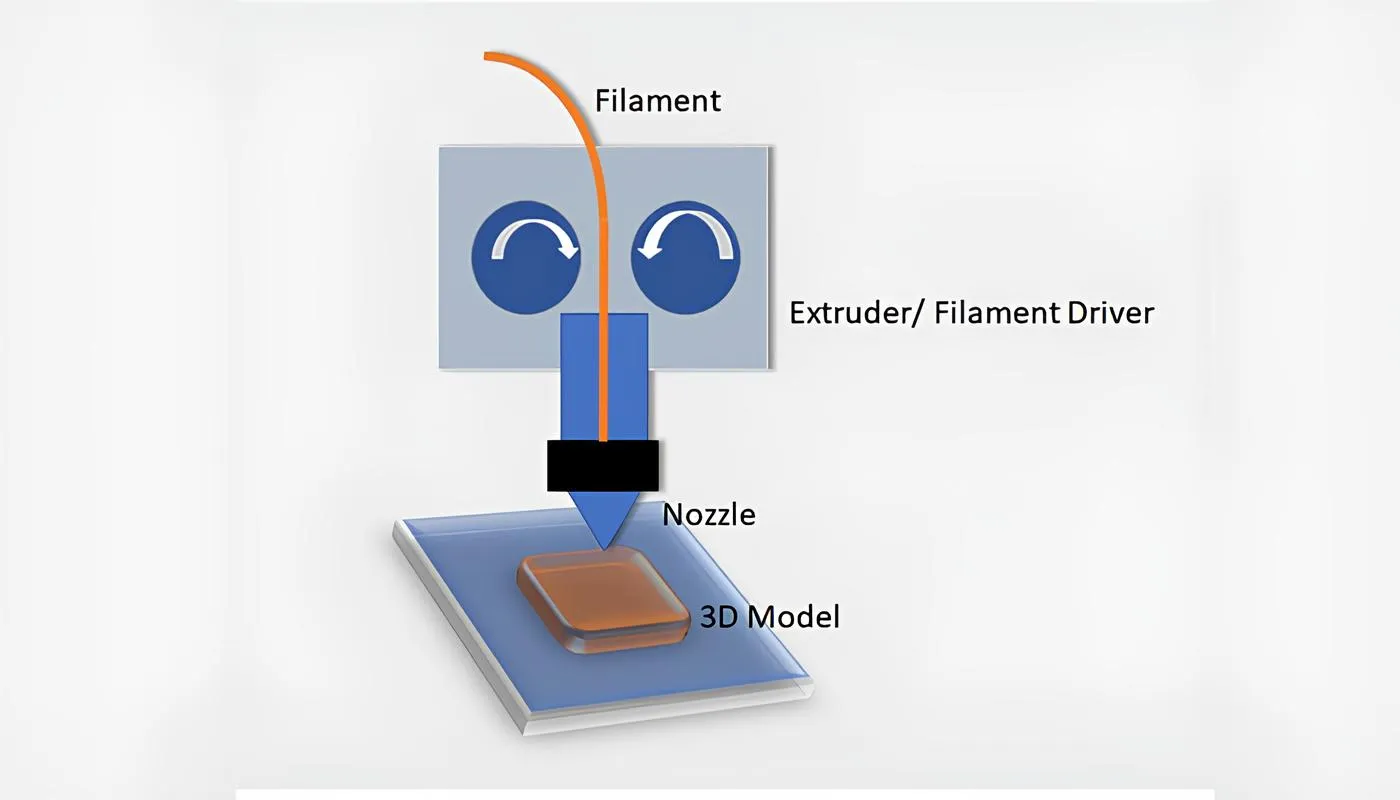
It is one of the most extensively used processes in the 3D printing industry. We at Fabheads use this method to build prototypes, tools and parts for our customers.
What is SLA 3D printing?
Stereolithography Apparatus (SLA) uses light on photopolymer resin to chalk out the shape of the 3D object. The solidification of liquid resin is called photopolymerisation. The build platform moves downwards to print the model one layer at a time, dipping into the surface of the tank to coat itself with more resin. This process repeats until the model is complete.
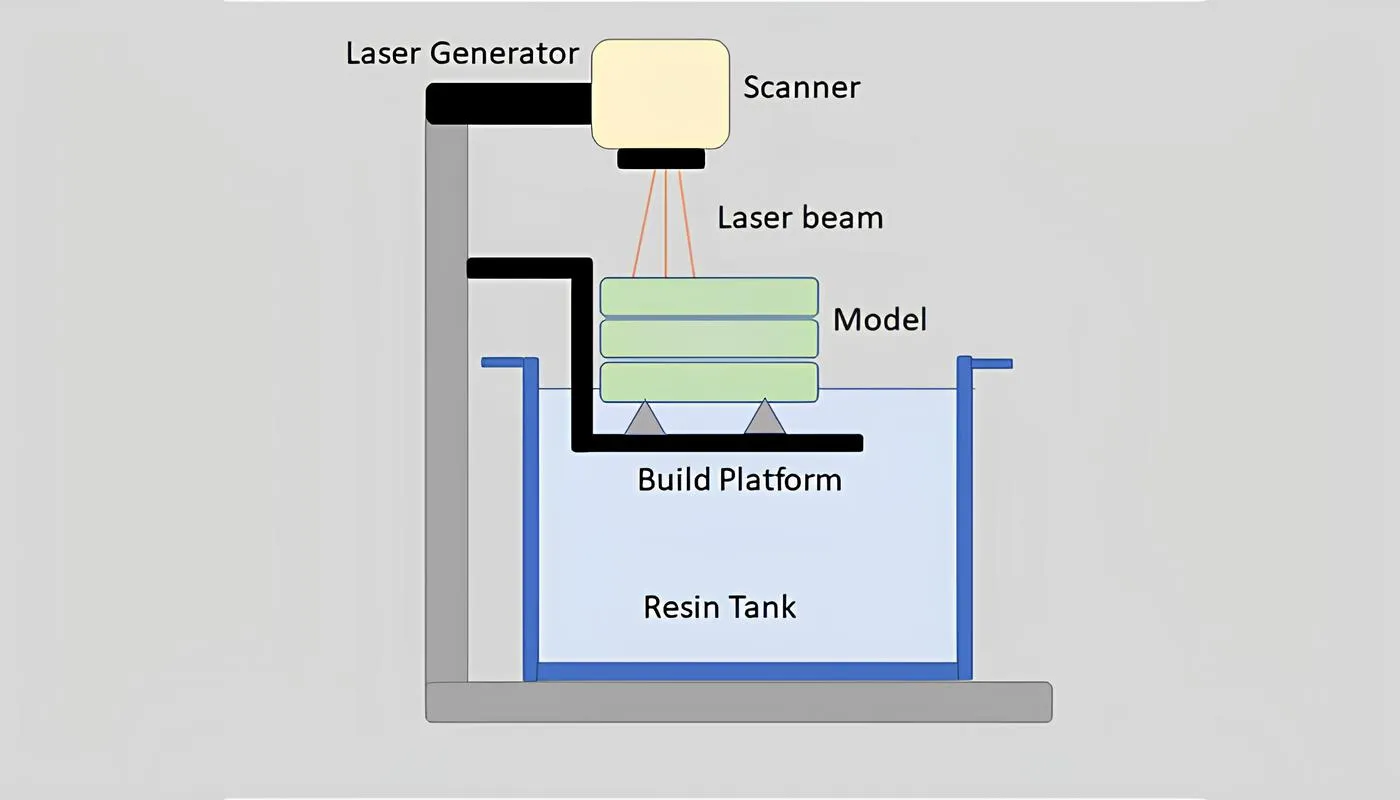
FDM vs SLA: the detailed comparison
1. Design
In manufacturing, the design of the product guides the whole project. Both techniques have design practices that need to be followed.
FDM design rules. This process can be slightly iterative: you may need to print prototypes and make design changes as you go. Key points to keep in mind:
- Tolerance: dimensional tolerance is ±0.15%, with a lower limit of ±0.2 mm
- Gaps: if your design has gaps, maintain a width greater than 2 mm
- Wall thickness: minimum is approximately 1 mm, primarily dependent on nozzle size. As a rule of thumb, features thinner than twice the filament's thickness can lead to a poor print
- Holes: keep hole diameters greater than 1 mm to help retain shape
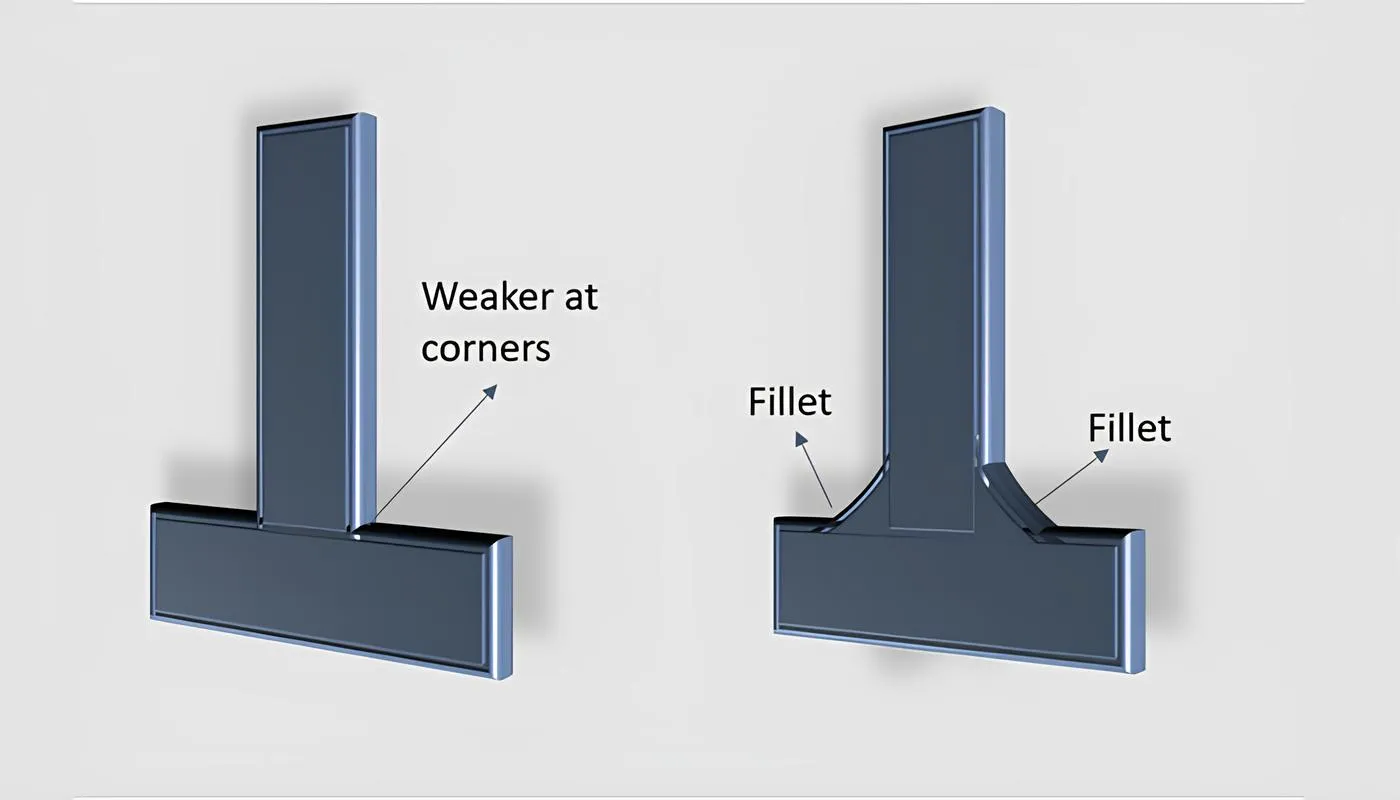
- Support structures: especially for overhanging structures positioned at more than 45 degrees from the vertical. A fillet provides continual support
- Fillets: adding fillets can strengthen fragile features and help minimise support structures
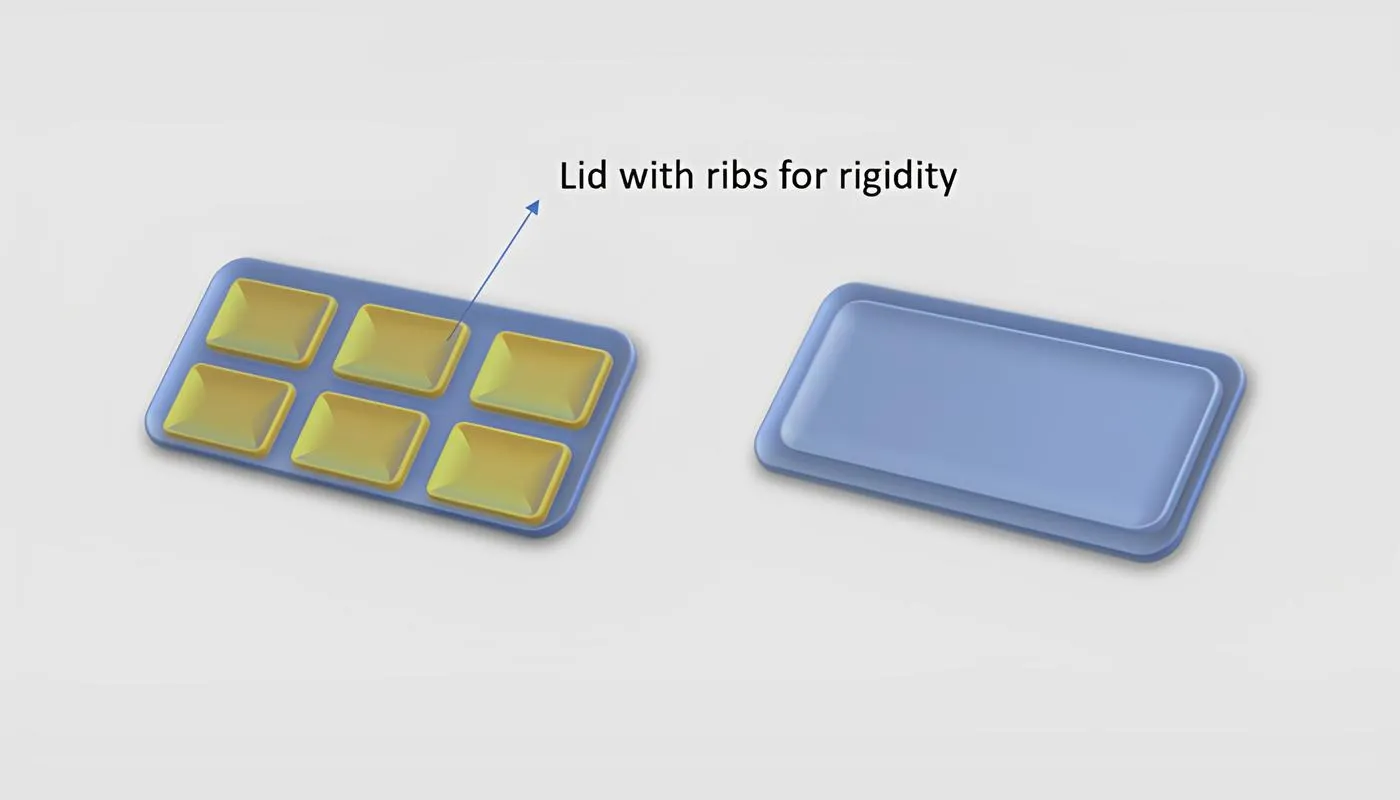
- Ribs: like fillets, ribs improve strength by distributing force evenly across the model's surface. Maintain a minimum rib thickness of 0.06 in
SLA design rules. SLA is excellent at printing models with intricate detail. Factors to consider before printing:
- Tolerance: dimensional tolerance of ±0.15%, with a lower limit of ±0.01 mm
- Wall thickness: minimum of 0.5 mm, to prevent warping
- Holes: keep diameters greater than 0.5 mm to help retain shape
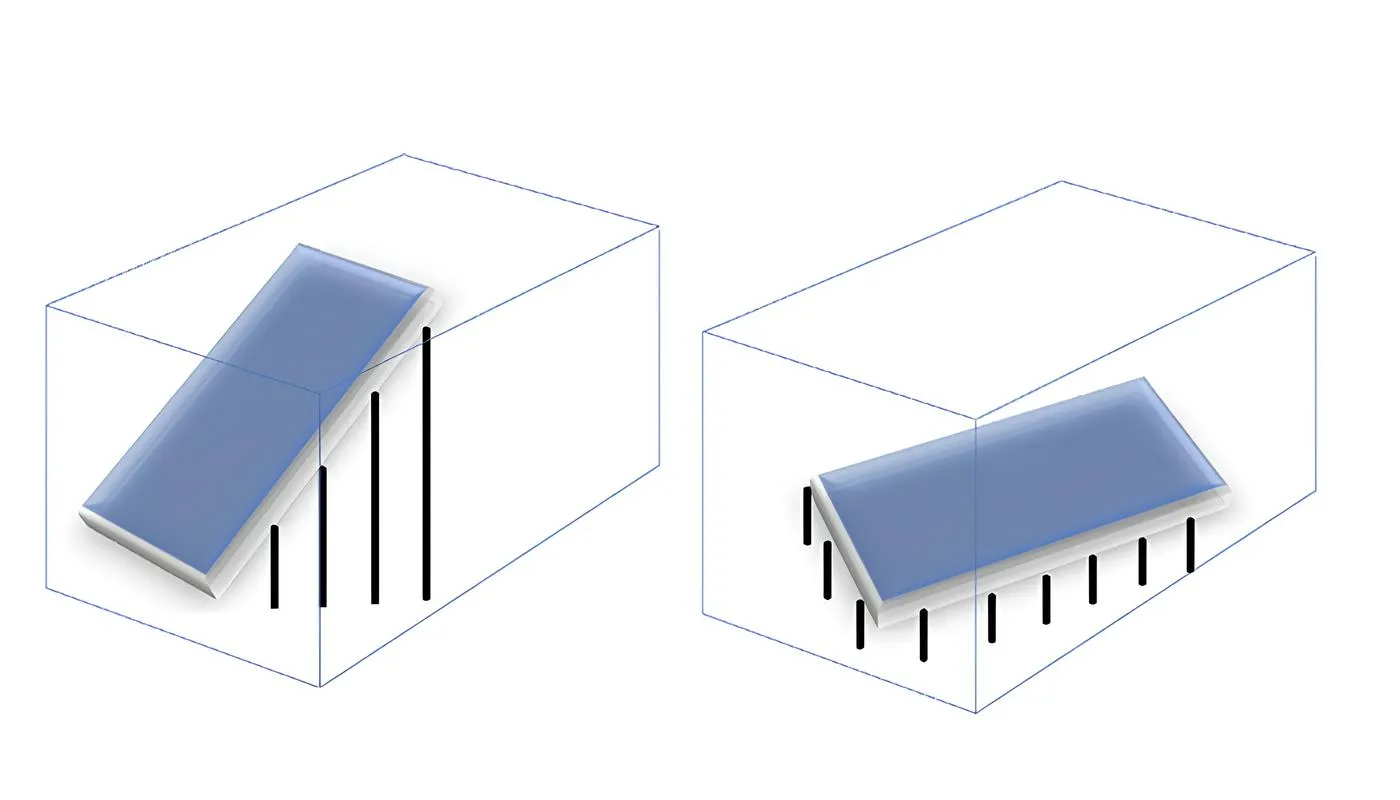
- Support structures: less required than with FDM, but recommended for models placed at least 19 degrees from the horizontal for overhangs
- Orientation: the z-axis cross-sectional area matters. If it is large, the print may stick to the walls of the tank. This can be controlled by reducing the area along the z-axis
2. Print quality
In FDM prints, resolution depends on the size of the extrusion nozzle, and the movement of the extruder along the X and Y axes has a significant impact on quality. For FDM, print quality therefore comes down largely to printer calibration.
Another point to note is that the weight of upper layers compresses the lower ones. FDM prints depend on the mechanical bonds between layers, so proper alignment and design considerations lead to better quality. The surface finish is usually rough and rigid.
With SLA, accuracy and precision are slightly higher. Resolution depends solely on the light source, and the force applied across layers is relatively low. SLA printing is based on chemical bonds formed by cross-linking photopolymer across layers, which results in isotropic parts (even strength in all directions). The surface finish is smoother.
3. Materials
4. Print speed
Printing speed varies with the build quality of the printer and the material used, and is measured in millimetres per hour. For FDM, the average is around 100 mm/hr (meaning it can print a deposit of 100 mm in about an hour), and depending on the printer can reach up to 500 mm/hr. SLA printers are known to achieve speeds of up to 700 mm/hr.

5. Printing cost
FDM printers are considerably cheaper than SLA printers. After the initial purchase, overall printing cost depends on the materials used. FDM printers use PLA or ABS-based filaments, which are cheaper than the resins used in SLA. One kilogram of PLA costs about $15 (roughly ₹800–₹1,200), while one litre of standard resin can cost around $40–$150 (roughly ₹2,500–₹12,000).
6. Adhesion and post-processing
Adhesion to the print bed is an important aspect of 3D printing. With FDM printers, printed objects are easily detached using a palette knife or similar tool. With SLA printers, removing the model from the platform can be challenging, as the resin tends to stick.
Removing support structures is also part of post-processing. With FDM, supports are sometimes soluble or can be removed with cutting tools. With SLA, support systems can be removed with the help of isopropyl alcohol.
Applications of FDM and SLA
Different industries have adopted these techniques to suit their particular requirements.
Where FDM is used
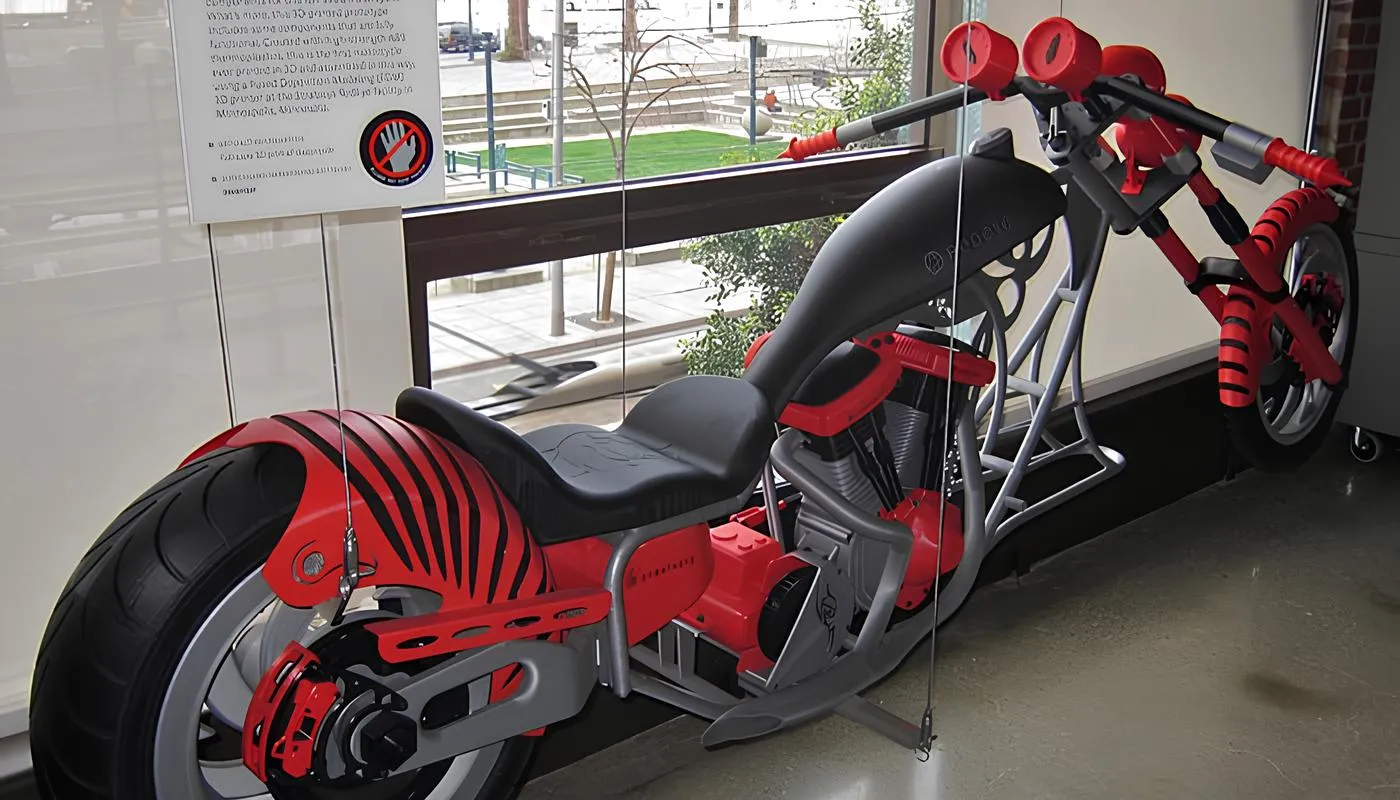
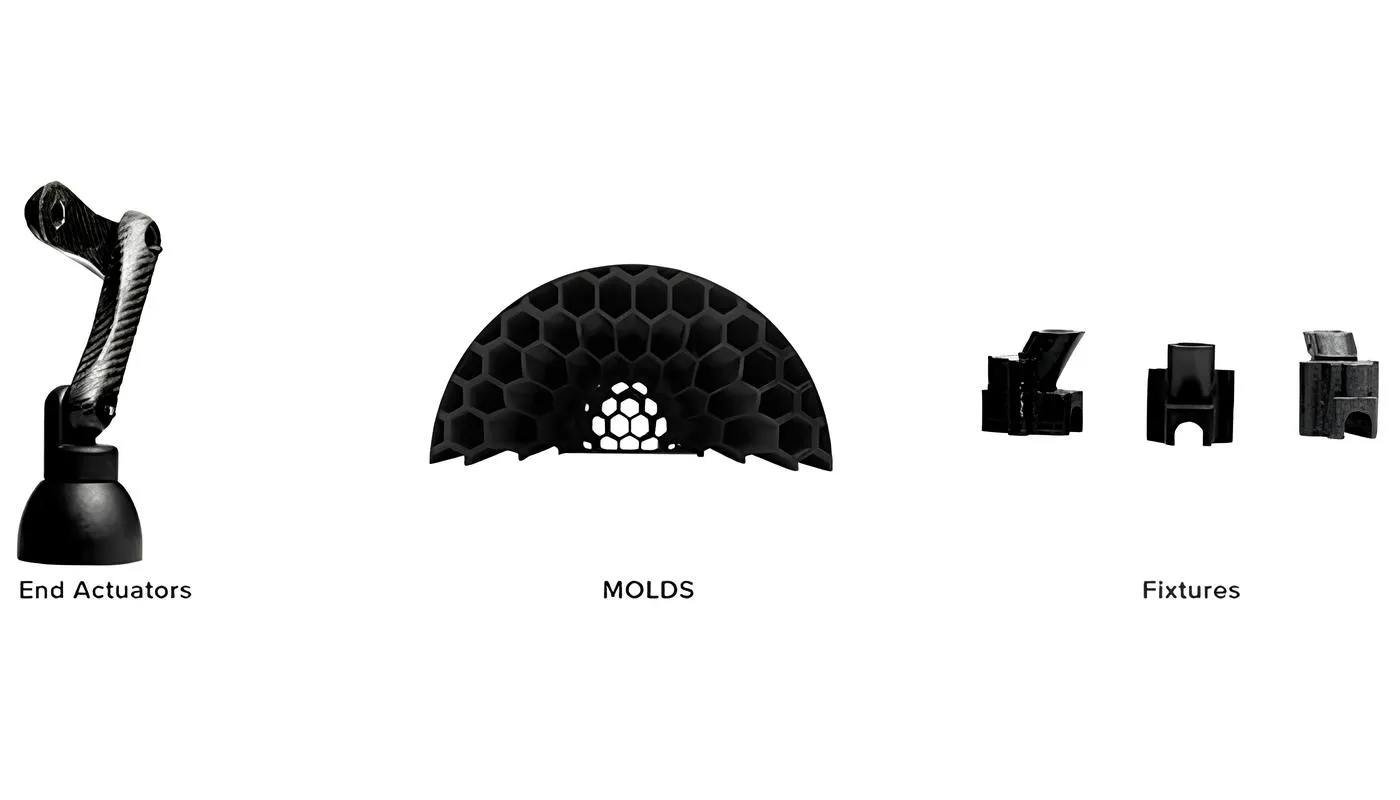
FDM makes it easy to achieve consistently accurate geometry. Printed parts have good stability and strength, and the use of thermoplastics keeps them lightweight. Applications span a diverse set of industries: automotive, medical, construction, sports, aerospace and military among them. The automotive and aerospace industries in particular rely heavily on FDM printed parts, for both prototypes and final parts.
Where SLA is used
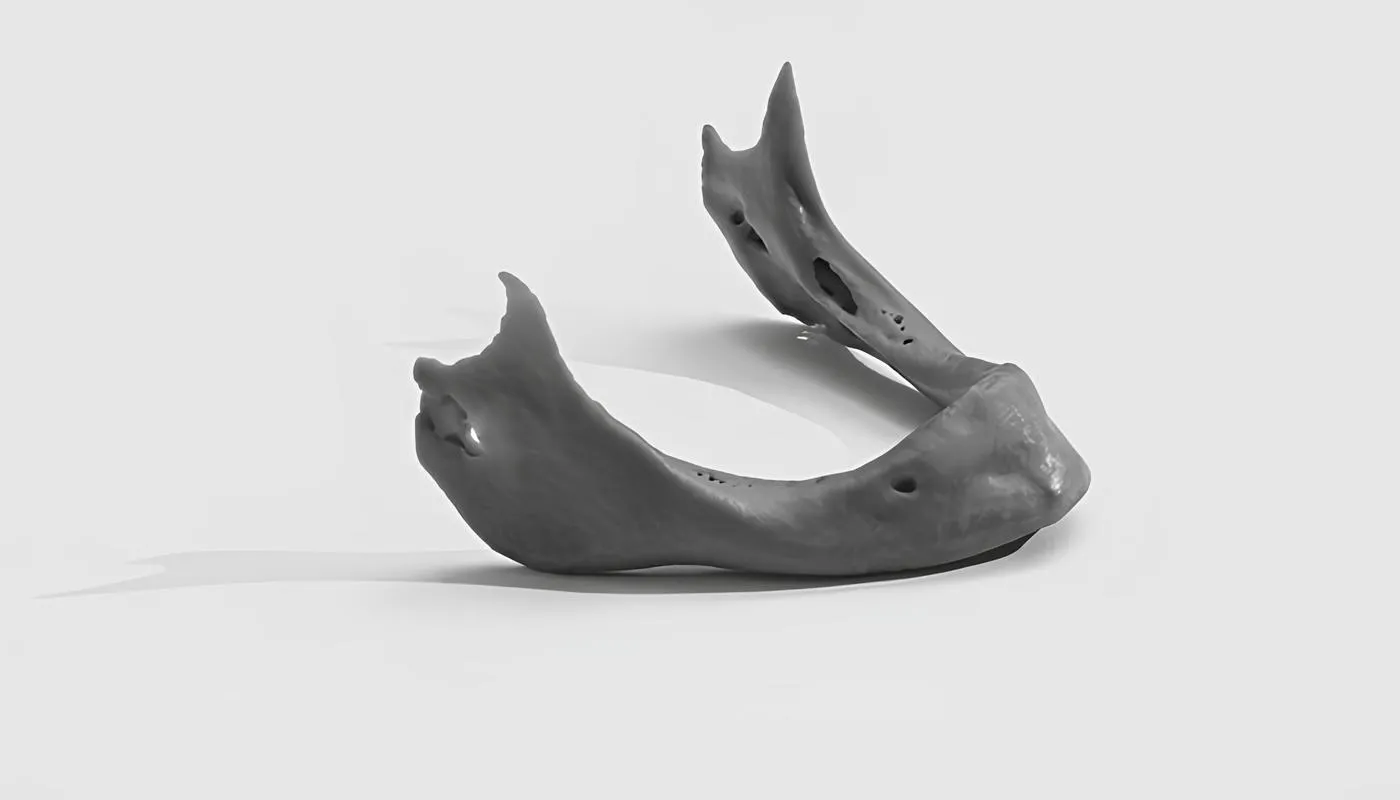
SLA makes it easy to achieve products with intricate detail, and it can produce durable objects with a smooth finish and high precision. It is well suited to creating moulds and casting patterns, and is used extensively in the dental field to create dentures. Because SLA uses resins, it is also used to create optics and transparent covers. Industries using SLA include healthcare and medical (predominantly dental), entertainment, architecture, audiology and jewellery design.
Which method should you pick?
FDM and SLA have a wide range of applications, and it isn't possible to pick one over the other without understanding the requirements of the product's end user.
Consider production cost, time frame and product design. FDM is capable of producing products with simpler designs at low cost. SLA can achieve detailed designs in a shorter span of time, but at higher production cost. When picking a printer or a process, the important thing is to understand what each technique actually offers.
Both are part of current manufacturing processes across different industries, and many companies use a combination of the two. Weighing the advantages each process offers against the demands of the part is what leads to the right decision.
Where continuous fiber printing fits in
Both FDM and SLA have the same ceiling: they print plastic. That is fine for a prototype, a jig or a display model, but neither produces a part strong enough to carry a real structural load.
This is where continuous fiber 3D printing comes in. Instead of plastic alone, it lays an unbroken strand of carbon fiber into the part as it is built, giving a strength-to-weight ratio that plastic printing cannot reach. Fabheads builds its own machines for exactly this: our fabmachines range includes the F-Series, India's first indigenous continuous fiber 3D printer, so the process can be matched to what the part actually has to do.
A brief history of 3D printing
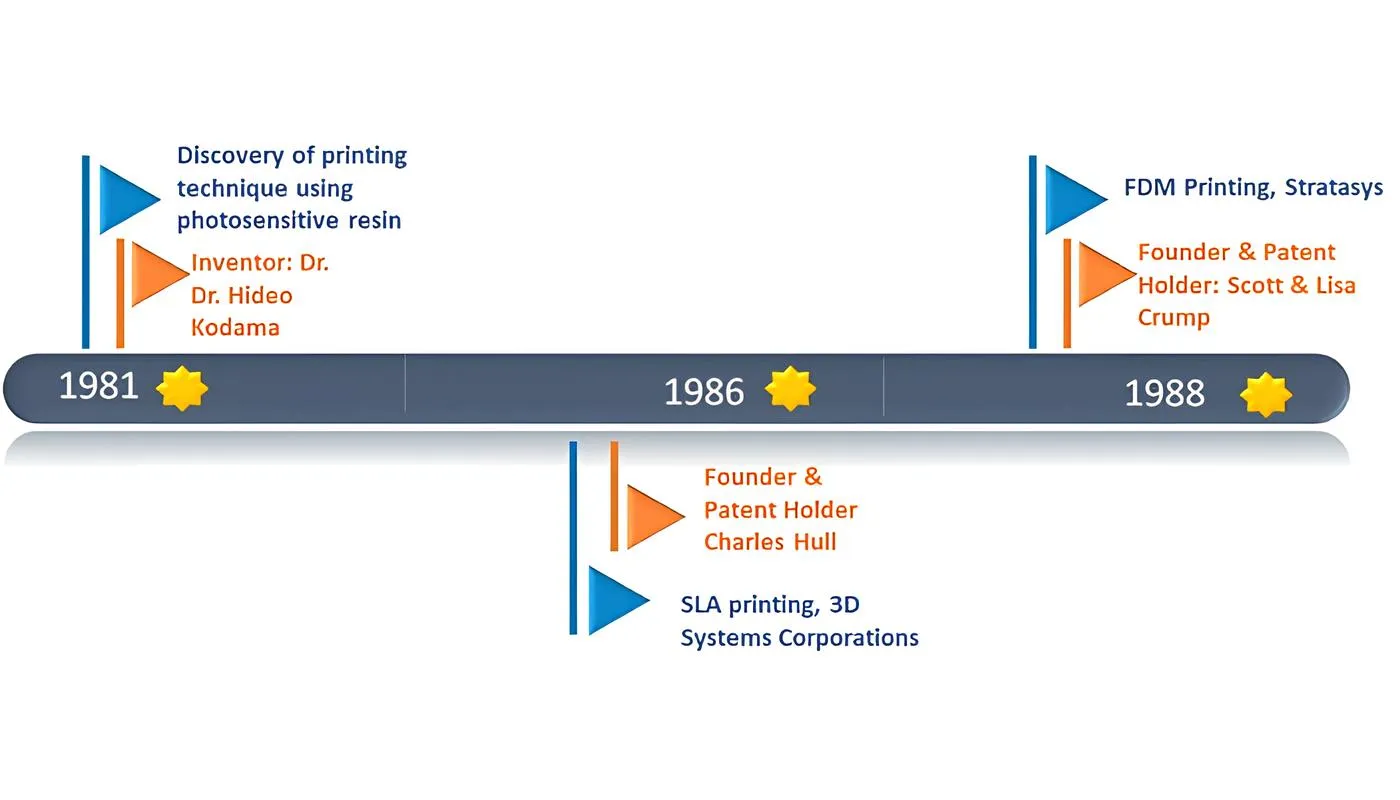
3D printing has had a fascinating journey. From the 1980s onwards it has evolved and taken shape alongside improvements in technology, and looking at the timeline helps explain how the different types of printers and processes came about.
The inception of SLA
3D printing was on the verge of inception through the 1970s. Dr Hideo Kodama was finally successful in attempting a method for rapid prototyping, using a photosensitive resin polymerised by UV light. In 1981, he became the first person to come close to explaining the layer-by-layer approach of printing a 3D object. This process is now known as SLA, or Stereolithography Apparatus.
A few other engineers worked with the method, but fell short of a business idea that would put it to practical use. In 1986, Charles Hull secured a patent for SLA printing and formed a company called 3D Systems Corporation, the first to build an SLA printer for commercial use.
The invention of FDM
A father was sitting in the kitchen trying to make a toy for his young daughter. He took a glue gun and started to put together a loosely formed shape with the melted glue. Multiple layers of glue slowly began to take the shape of a frog. During this process, the father realised that the experiment could be extended to much bigger projects.
That father was Scott Crump. In 1988, Scott and Lisa Crump stumbled on the technique while using a hot glue gun with polythene and candle wax, and it sparked the idea of building an entire set-up that would melt filaments to form a 3D object. They went on to secure a patent for Fused Deposition Modeling and founded a company called Stratasys.
Conclusion
Whether SLA or FDM, 3D printing has come a long way in a few decades. The story that began in the 1970s has since reached almost every industry.
In examining the differences and similarities between the two, a product designer or manufacturer can learn to make the right decisions for their user. We have looked at the workflow and basic methodology of each, at print characteristics including design, print quality, materials, print speed, cost, adhesion and post-processing, and at where each process is applied. Both solve major problems that manufacturers face, and both will keep evolving.
And when the part needs to carry a genuine structural load, continuous fiber printing picks up where plastic printing stops.
Not sure which process fits your part? Talk to our team about your requirement.
Frequently asked questions
What is the difference between FDM and SLA 3D printing?
FDM melts plastic filament and builds a part layer by layer; SLA cures liquid resin with UV light. FDM is cheaper and better for functional parts, while SLA gives finer detail and a smoother surface finish.
Is SLA stronger than FDM?
Not necessarily. SLA parts are isotropic, meaning strength is even in all directions, while FDM parts are weaker along the layer lines. But FDM thermoplastics such as ABS are often tougher and more impact-resistant, so the better choice depends on how the part is loaded.
Which is cheaper, FDM or SLA?
FDM. Both the printers and the materials cost less: PLA filament runs about $15 per kilogram, while SLA resin costs roughly $40 to $150 per litre.
Can FDM or SLA print carbon fiber parts?
Neither prints continuous carbon fiber. Some FDM filaments contain chopped carbon fiber, which adds stiffness but not true structural strength. For load-bearing carbon fiber parts, continuous fiber 3D printing is the process required.